

Configure hyperparameters
The training UI shows your dataset summary and a set of tunable hyperparameters. The defaults work well for most tasks — adjust them only if you have a reason to.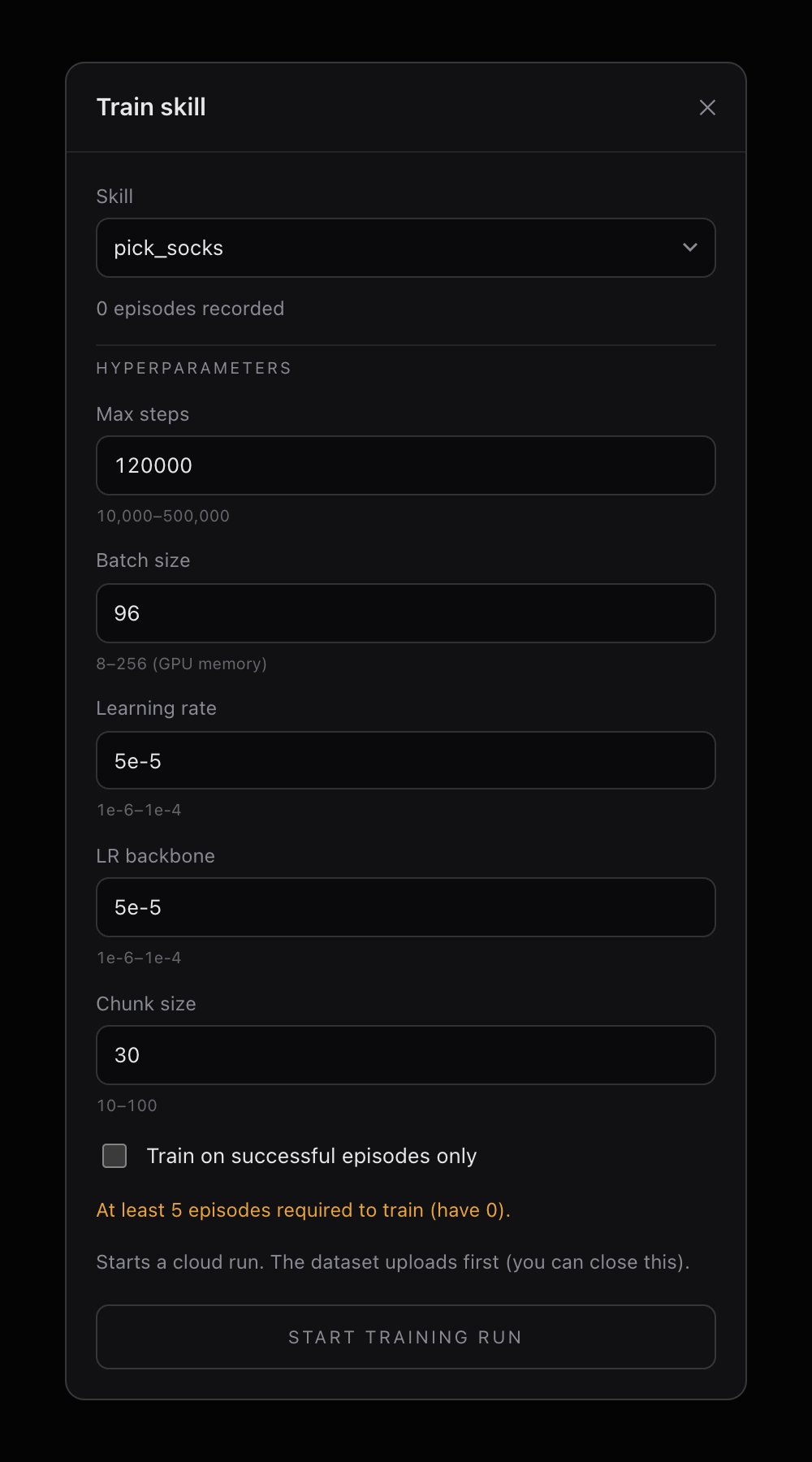
When to change the defaults
- Small dataset (50–80 episodes): Lower max steps to ~80,000 to avoid overfitting.
- Long episodes or complex task: Increase max steps to 150,000–200,000.
- Robot seems to hesitate during execution: Try a larger chunk size (50–80) for smoother output.
- Robot overshoots or ignores corrections: Try a smaller chunk size (15–20) for more reactive behavior.
Start a training run
- Phone app
- Web app
1
Verify sync status
The Train tab shows a dataset card. Confirm the sync badge is green and the episode count looks correct. If it says “Not synced,” go back to the Record tab and upload first.
2
Adjust parameters (optional)
Edit any hyperparameters you want to change, or leave the defaults.
3
Launch training
Tap Start Training Run. Confirm in the dialog. The app creates a run on Innate’s cloud and switches to the Runs tab.
Each robot can have one active training run at a time by default. If you need concurrent runs, reach out on Discord for approval.
Monitor a run
- Phone app
- Web app
The Runs tab shows all active (non-completed) training jobs for this skill. Each run card displays:
- Run ID — a unique identifier
- Status — the current stage in the pipeline
- A progress indicator
Training run lifecycle
You can safely close the app or browser, or turn off your robot’s screen, while training runs. The job continues on the cloud, and status updates resume when you reopen the page.
What happens during training
Behind the scenes, the training server:- Loads your episodes (images, joint positions, velocities) into a normalized dataset
- Trains an ACT model with a ResNet18 vision backbone and a transformer encoder-decoder
- Uses a variational autoencoder (VAE) to learn a latent action distribution
- Saves checkpoints periodically throughout training
- Produces a final checkpoint (
.pth) and dataset statistics file (.pt)